Bingo Gold Cash Withdrawal PayPal: Complete Step-by-Step Guide 2026
Author: “Zenith Games Editorial” Author_url: “https://www.zenithgames.com/about/“
You have been playing Bingo Gold Cash for a few days. Your balance crossed the minimum threshold, and now you want your money. If you have never withdrawn from a mobile bingo app before, the process can feel opaque — and the last thing you want is a rejected request or an unexplained delay.
This guide covers everything about Bingo Gold Cash withdrawal PayPal: the exact steps, how long it takes, why withdrawals sometimes fail, and what to expect from your first cashout.
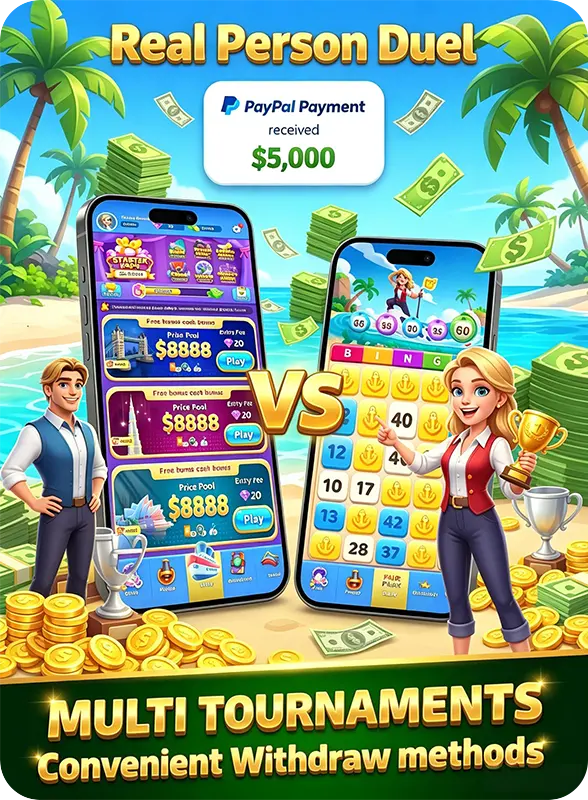
Withdrawal Methods on Bingo Gold Cash
Bingo Gold Cash supports PayPal as its withdrawal method as of mid-2026:
| Method | Availability | Processing Time | Notes |
|---|---|---|---|
| PayPal | All users | 1–3 business days | Requires verified PayPal account; available on iOS and Android |
PayPal is the only supported withdrawal method for BGC users. It is available regardless of whether you play on iOS or Android, and PayPal’s buyer/seller protections add a layer of transaction security that direct bank transfers lack.
What about direct bank transfer? BGC does not currently offer ACH or wire transfer as a withdrawal method. All cashouts flow through PayPal.
Step-by-Step: How to Withdraw to PayPal
Here is the exact sequence for your first Bingo Gold Cash withdrawal through PayPal. Every step matters — skipping verification or entering mismatched details is the most common cause of delayed payouts.
Step 1: Confirm Your Balance Reaches the Minimum
BGC enforces a $5 minimum withdrawal threshold. Your in-app balance must show at least $5.00 before the withdrawal option activates.
You can check your balance from the main lobby screen — it is displayed in the top-right corner (or top bar on Android). This balance reflects:
- Cash winnings from any room (free or paid)
- Referral bonuses (if applicable)
- Tournament prizes and promotional credits (if not restricted)
Note: Gems and other in-game currencies appear separately and cannot be withdrawn directly. Only cash balances are withdrawable. (See Gems to Bonus room for the Gems-to-cash conversion path.)
Step 2: Navigate to the Withdrawal Section
From the main lobby:
- Tap the balance display (or the “Cash Out” / “Withdraw” button in the settings menu)
- Select PayPal as your withdrawal method
- The app will prompt you to enter your PayPal email address
Step 3: Enter Your PayPal Email (Carefully)
This is the step where most mistakes happen.
- Use the exact email associated with your PayPal account
- Double-check for typos — “youremail@gmial.com” will not route to “youremail@gmail.com“
- Ensure your PayPal account is verified (linked to a confirmed bank account or card)
- Your PayPal account name should match the name you used to register with BGC
Why name matching matters: PayPal’s fraud detection may flag transactions where the sender account name differs from the receiver’s registered name. If you signed up to BGC as “Mike Smith” but your PayPal is registered under “Michael Smith,” the transaction may still process — but using the exact legal name on both accounts eliminates this risk.
Step 4: Enter the Withdrawal Amount
You can withdraw any amount from $5 up to your full balance. There is no maximum withdrawal limit.
- Enter the amount you want to withdraw
- The app will confirm the amount and display the estimated delivery window (1–3 business days)
- Tap Confirm to submit
Step 5: Wait for Processing
After confirmation:
- You will receive an in-app confirmation that your withdrawal request has been submitted
- BGC processes withdrawals in batches (not instantly)
- The money typically appears in your PayPal account within 1–3 business days
- Some withdrawals process same-day; others take the full 3-day window
- Per PayPal’s Transaction Processing Times, standard ACH transfers from merchant accounts can take 1–3 business days — BGC’s window aligns with this industry standard
Step 6: Check Your PayPal Account
Once the withdrawal is processed:
- Log into your PayPal account (app or web)
- Check your PayPal balance — the funds should appear under recent activity
- From PayPal, you can transfer to your linked bank account (free, 1–2 additional business days) or keep the balance in PayPal for online spending
Withdrawal Timeline: What to Expect
Here is the realistic timeline based on user reports and platform documentation:
| Stage | Typical Duration | What Happens |
|---|---|---|
| Request submission | Instant | In-app confirmation received |
| Internal review | 0–24 hours | BGC verifies account standing, anti-fraud checks |
| Batch processing | 0–48 hours | Withdrawal added to next processing batch |
| PayPal delivery | Instant after processing | Funds appear in PayPal balance |
| Bank transfer (optional) | 1–2 business days | If you move money from PayPal to bank |
Total time from request to PayPal balance: 1–3 business days.
Weekends and holidays: PayPal processes transactions on business days only. A withdrawal requested Friday evening may not complete until Tuesday or Wednesday.
Common Rejection Reasons (and How to Avoid Them)
Withdrawal rejections are uncommon on BGC, but they do happen. Here is what causes them — and how to prevent each one.
1. Unverified PayPal Account
The issue: Your PayPal account is not linked to a confirmed bank account or card.
The fix: Log into PayPal. Go to Settings → Banks and Cards. If your account shows “Unverified,” add and confirm a bank account or debit card. This process takes 1–2 days (PayPal makes small test deposits to confirm ownership).
2. Email Address Mismatch
The issue: The email you entered in BGC’s withdrawal form does not match any PayPal account.
The fix: Before submitting, log into PayPal and confirm your primary email address. Use that exact email in the BGC withdrawal form. If you have multiple PayPal emails, any verified email on your account will work.
3. Account Standing Issues
The issue: BGC’s anti-fraud system flagged your account for irregular activity.
The fix: This is rare for legitimate players. Ensure you:
- Play on only one device at a time
- Do not use VPNs or location spoofers while playing
- Have not violated BGC’s Terms of Service (account sharing, automated play, etc.)
If your account is flagged, contact BGC support through the in-app help section.
4. Recent Deposit Not Cleared
The issue: If you deposited money and immediately tried to withdraw, the deposit may not have cleared.
The fix: Wait 24–48 hours after any deposit before requesting a withdrawal. This applies to the deposited amount only — winnings from free rooms are not subject to this hold.
5. Balance Below Minimum After Pending Transactions
The issue: Your balance shows $5+ but a pending game entry fee has not yet been deducted.
The fix: Check if you have entered any rooms that have not yet resolved. Wait for all active games to complete before withdrawing.
PayPal-Specific Tips for Smooth Withdrawals
Link Your PayPal Before You Need It
Do not wait until you have accumulated enough to withdraw before setting up PayPal. Link your account during your first week of play:
- Go to Settings → Withdrawal Methods in BGC
- Add and verify your PayPal email
- This pre-links your account and speeds up future withdrawals
Keep Your PayPal Active
PayPal accounts that have been inactive for 12+ months may have restrictions placed on them. Log into PayPal periodically — even if only to check your balance — to keep the account in active status.
Understand PayPal Fees
For standard personal PayPal transfers (which BGC withdrawals fall under):
- Receiving money in the US: Generally free for personal accounts
- Currency conversion: If your PayPal is in a non-USD currency, PayPal applies a conversion fee (typically 3–4%)
- Instant transfer to bank: PayPal charges a 1.75% fee for instant bank transfers; the free option takes 1–2 business days
The Gems-to-Cash Pathway: An Alternative Withdrawal Strategy
Gems cannot be withdrawn directly as cash, but they can be converted through an intermediate step. Here is the pathway:
| Step | Action | Requirement |
|---|---|---|
| 1 | Earn Gems in Gems Video Room (free) or Gems Battle (paid) | Win in top 80% / top 4 |
| 2 | Accumulate 1,500 Gems | Play consistently across Gems rooms |
| 3 | Enter Gems to Bonus room | 1,500 Gems entry fee |
| 4 | Finish in top 60% (6 of 10 players) | Real cash prizes |
| 5 | Withdraw cash via PayPal | Standard $5 minimum applies |
This is not the most efficient way to earn — paid rooms offer better expected value for skilled players — but it is a viable path for players who have accumulated large Gems balances through tournaments and daily play.
Withdrawal FAQ
How long does Bingo Gold Cash withdrawal PayPal take?
1–3 business days. Weekends and holidays may extend this. The money appears in your PayPal balance once processed.
What is the minimum withdrawal amount on Bingo Gold Cash?
$5.00 USD. This minimum applies to all PayPal withdrawals.
Can I withdraw Gems to PayPal?
Not directly. Gems must be converted to cash through the Gems to Bonus room first, after which the cash balance can be withdrawn via PayPal.
Why was my withdrawal rejected?
The most common reason is an unverified PayPal account or email mismatch. Verify your PayPal account and confirm you entered the correct email address, then resubmit.
Does BGC charge a withdrawal fee?
No. BGC does not charge a withdrawal processing fee. PayPal may charge fees for currency conversion or instant bank transfers, but these are PayPal’s fees — not BGC’s.
Can I withdraw to a PayPal account in a different name?
Technically possible, but not recommended. PayPal’s fraud detection may flag mismatched names. Use a PayPal account registered under the same name as your BGC account for fastest processing.
What if my withdrawal takes longer than 3 business days?
Contact BGC support through the in-app help section. Provide your withdrawal request date and amount. Support typically responds within 24–48 hours.
The Bottom Line
Bingo Gold Cash withdrawal PayPal is straightforward: accumulate at least $5, enter your verified PayPal email, and wait 1–3 business days for the funds to arrive. The process is the same whether your winnings came from free ad-supported rooms or paid competitive play.
The most important things to get right before your first withdrawal:
- Verify your PayPal account — linked to a confirmed bank account or card
- Match your email exactly — the one you enter in BGC must be your active PayPal email
- Wait for all active games to settle — pending game entries temporarily reduce your withdrawable balance
- Be patient on weekends — processing only happens on business days
Once your first withdrawal completes successfully, subsequent withdrawals tend to process faster — the initial verification bottleneck only applies to a user’s first cashout.
⬇️ Download Bingo Gold Cash — Free on iOS & Android
Related Articles in This Series: